Land Details Search Telangana
Welcome all! Need to verify land records in Telangana? Use our guide to search survey numbers, download Pattadar passbooks, and check property details on Bhu Bharati.
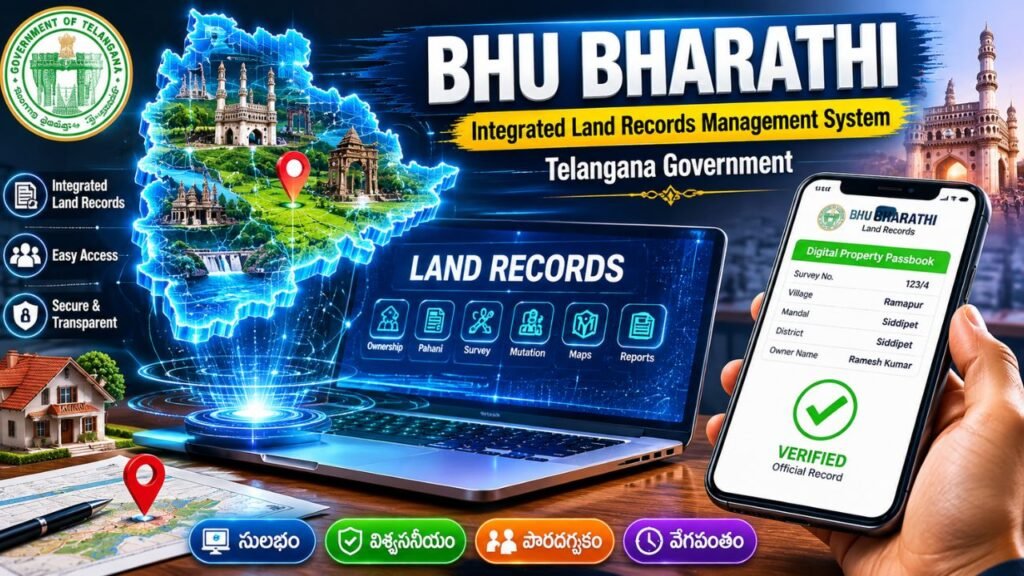
Are you a landowner, buyer, or real estate investor looking for a secure way to verify land records in Telangana? Navigating government portals can feel overwhelming, but verifying property data is now completely digital.
This step-by-step guide explains how to use the official Land Details Search Telangana tools to check land ownership, survey numbers, and passbook details in minutes.
What is the Official Portal for Telangana Land Records?
The Government of Telangana manages its integrated land records management system through the official Bhu Bharati Portal (which updates and replaces the older Dharani system). This centralized platform provides instant, transparent access to agricultural and non-agricultural land data to eliminate property fraud.
How to Conduct a Land Details Search in Telangana
You do not need to log in or create an account to run a basic informational search. Follow these five simple steps:
Step 1: Visit the Official Portal
Go directly to the Telangana Bhu Bharati Portal and navigate to the Land Details Search page.
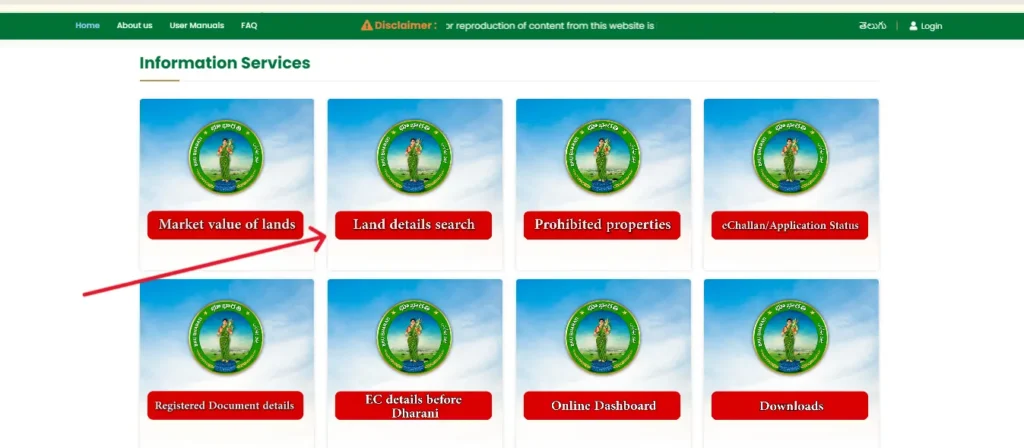
Step 2: Enter Location Details
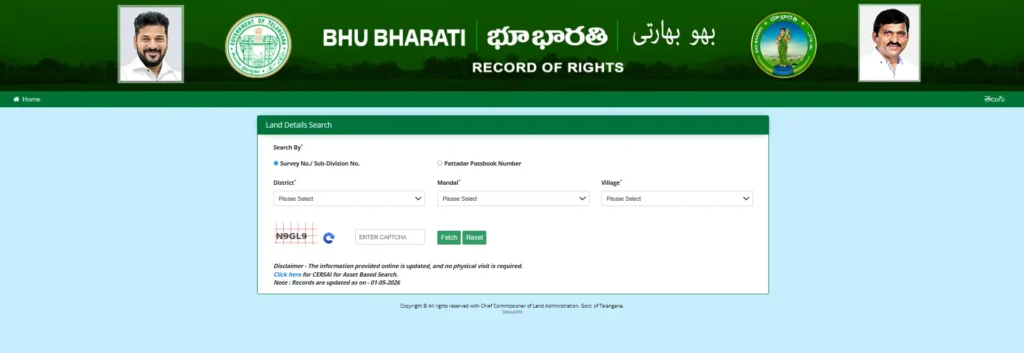
Select your property’s administrative location from the sequential dropdown menus:
- District (జిల్లా)
- Mandal (మండలం)
- Village (గ్రామం)
Step 3: Select Search Criteria
You can search for the land record using one of two identifiers:
- Survey Number / Sub-Division Number: Ideal if you are evaluating a specific piece of real estate.
- Pattadar Passbook Number (Khata No.): Ideal if you are the owner verifying your own registration status.
Step 4: Verification
Type in the alphanumeric Captcha code displayed on your screen to verify you are a human user.
Step 5: Fetch and View Records
Click the Fetch Details button. The portal will instantly populate the screen with the corresponding digital land ledger.
Key Information Available in the Search Results
When you run a land details search in Telangana, the system generates a comprehensive profile containing:
- Pattadar Details: Name of the legal landowner and their father/husband’s name.
- Land Extent: The exact size of the property measured in acres and guntas.
- Land Classification: Indication of whether the land is Dry (Metta), Wet (Magani), or Urban.
- Prohibited Status: Checks if the plot falls under Section 22A (government, assigned, or disputed lands restricted from registration).
- Market Value: The prevailing government valuation used to calculate stamp duty and registration fees.
How to Download ROR 1-B and Pattadar Passbooks
If you need official documents for banking loan applications or legal disputes, you can download them directly from your search results:
- Record of Rights (ROR 1-B): Click on the “ROR” hyperlink next to your land details to view the history of holdings for that survey number.
- Digital Passbook: Input your Passbook Number and the first four digits of your Aadhaar card to download a digitally signed copy of your Pattadar Passbook (PPB).
Frequently Asked Questions (FAQs)
1. Can I check non-agricultural land details on Bhu Bharati?
Yes. While the system heavily services agricultural land profiles, integrated municipal layouts and non-agricultural properties can be searched using specific transaction numbers or plot IDs.
2. What should I do if my Telangana land details are incorrect online?
If you notice typographical errors in land extent or owner names, you must submit a Grievance Application for land record rectification through your nearest MeeSeva center or via the portal’s online application module.
3. How do I check for property mortgages or loans?
To check if a property has an active loan against it, visit the CCLA Telangana Integrated Land Registry to download an Encumbrance Certificate (EC) using your registered deed details.